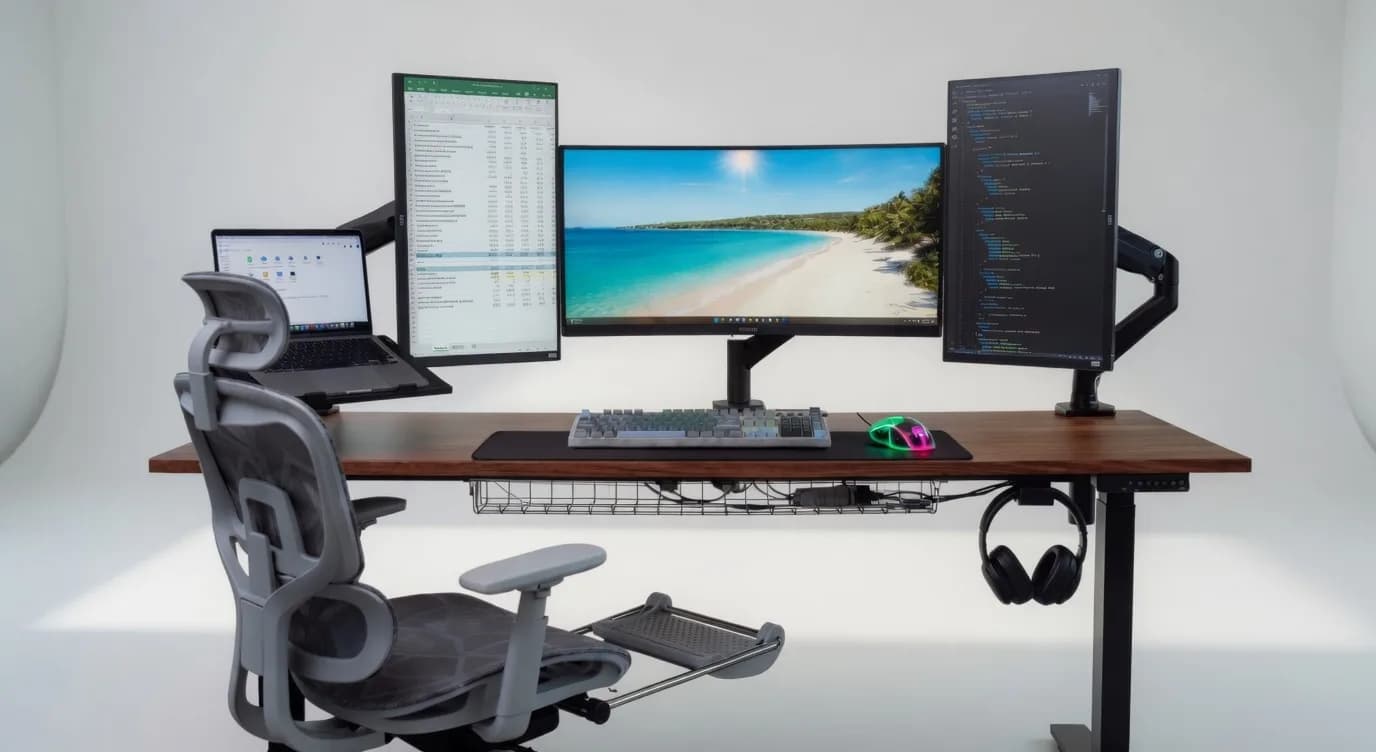
A desk with several connected devices can quickly become cluttered with power cables, chargers and adapters. These wires often end up hanging behind the desk or spread across the floor, making it harder to clean the area and access individual cables when needed.
At Frame Frontiers, we offer workspace accessories that help keep desks organized. A cable management tray provides a simple way to gather loose cables and power accessories beneath the desk, leaving the work surface clearer and the wires easier to manage.
How a Cable Management Tray Works
A cable management tray attaches beneath a desk and provides space for organizing cables, power strips and compatible adapters. Instead of leaving everything hanging loosely, you can route the wires through the tray and keep them together in one place.
This setup is useful for desks with monitors, desktop computers, laptops, chargers and other peripherals. It can also help keep cables away from your feet and reduce the number of loose wires visible around the workstation.
Depending on the tray's design, mounting may involve screws or clamps. Check the mounting method and desk compatibility before installation.
Benefits of Keeping Cables Organized
A clearer desk and floor
Moving excess cables beneath the desk frees up visible space and makes the workstation look neater. It also leaves fewer loose wires around your chair and footrest.
Easier access to cables
Keeping power strips and adapters together makes it easier to identify connections when adding a device or replacing a cable. You may still need to move items around, but having a designated storage area helps avoid a tangle of wires.
Simpler cleaning and maintenance
Loose cables can collect dust and make it difficult to clean beneath a desk. A cable tray keeps them grouped together, making the surrounding area easier to reach during routine cleaning.
Better cable organization
When arranging cables, avoid pulling them too tightly or bending them sharply. Keep plugs accessible and ensure that power adapters have adequate ventilation. A tray helps with organization, but correct cable routing and safe use of electrical equipment remain important.
Choosing a Cable Management Tray
Before buying a tray, consider how many devices you need to connect and how much space their cables and adapters will occupy.
- Size: Measure your power strip and the largest adapters to make sure they fit inside the tray.
- Mounting method: Check whether the tray uses screws, clamps or another attachment method, and confirm that it suits your desk.
- Material: Consider the tray's construction, weight capacity and ventilation, especially if you plan to store several power adapters.
- Cable access: Look for openings that allow cables to enter and exit without being pinched or sharply bent.
- Accessibility: Choose a design that lets you reach plugs and connections when necessary.
Planning the layout before installation also helps. Group cables by device where practical and leave enough slack to accommodate adjustments to your workstation.
A Practical Addition to Your Workspace
A cable management tray is useful for anyone who wants to keep power strips, adapters and loose wires organized beneath a desk. It works well with home office desks, gaming setups and workstations that have several connected devices.
At Frame Frontiers, we offer workspace products and accessories for different desk setups. Explore our cable management options to find a practical way to keep your cables together and your workspace easier to maintain.